

 Tiếng Việt
News, Technical Documents
INSTRUCTIONS FOR USING CALYPSO SOFTWARE FOR ZEISS CMM MEASURING MACHINES
07
Jan
Jan
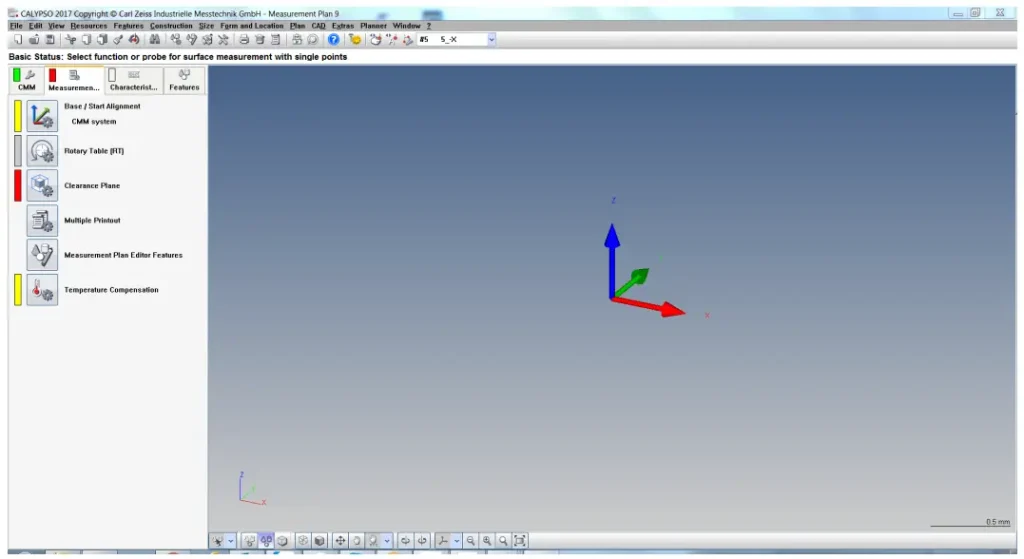
In the world of coordinate measurement (CMM), ZEISS CALYPSO is considered a leading software thanks to its object-oriented measurement philosophy. Instead of having to manually program each complex movement step by step, Calypso allows technicians to focus on the geometric characteristics of the part, optimizing time and accuracy.
To support our customers and technicians operating Zeiss CMM machines in Vietnam, Maxlab is pleased to share a detailed user guide for Calypso software, from basic to advanced levels.
1. Why should you use Calypso software?
Calypso offers excellent flexibility for Zeiss CMM machines thanks to its superior features:
Code-free programming: Intuitive interface, easy to learn and operate.
Strong CAD compatibility: Easily import data from design software such as SolidWorks, CATIA, and NX to program measurements directly on 3D models.
High flexibility: You can change the order of measurements without rewriting the entire program.
Professional reports: Export measurement data as charts and visual images, providing maximum support for quality control (QC).
2. Contents of the instruction manual
The Calypso user manual provided by Maxlab includes the following main sections:
Initial setup guide: How to initialize the coordinate system (Alignment) and set up the stylus system.
Measuring geometric entities: How to obtain points and measure 2D and 3D objects such as circles, planes, cylinders, and spheres.
Geometric Tolerance Testing (GD&T): Guidance on applying positional, concentricity, and flatness tolerance symbols according to international standards.
Optimizing the Measurement Process: Tips to shorten measurement time and protect the probe from impact.
3. Download the Calypso User Manual
To help our customers master Zeiss measurement technology, we have compiled and edited a detailed user manual.
👉 You can view and download the full document here: https://drive.google.com/file/d/1p8F847oaKSsFH2CZDcuSZMkDH7MvSG9n/view?usp=sharing